




























































































































































How to Customize Your Virtual Avatar for Audio Party Rooms
Learn how to customize your virtual avatar to match audio party room vibes, express your personality, and stand out with a clear, engaging digital presence.
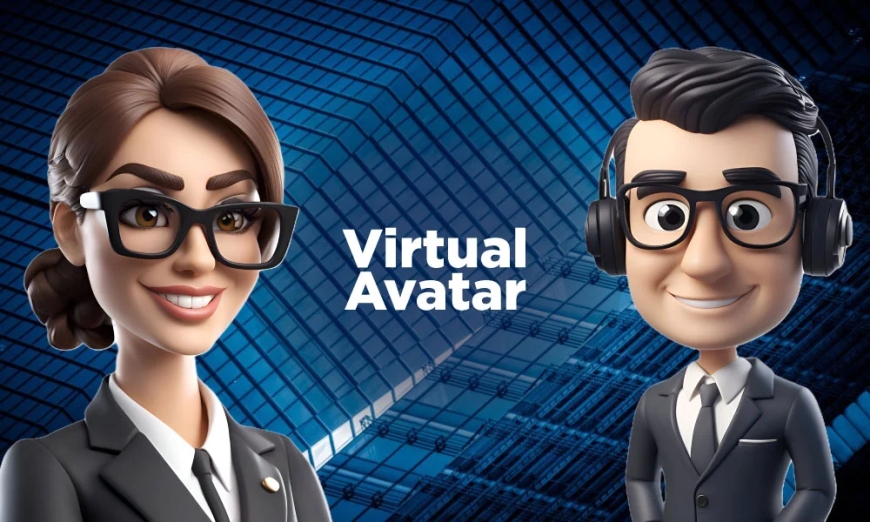
How to Customise Your Virtual Avatar for the Ultimate Audio Party Room Experience
Virtual audio party rooms may be voice driven, but first impressions still happen visually. Before anyone hears you speak, they see your avatar. That small image represents your mood, confidence, and personality. A thoughtfully customised avatar helps you feel more present in the room and makes others more likely to notice and remember you.
Customising an avatar is not about copying trends. It is about creating a digital version of yourself that fits the energy of the room while still feeling natural to you. When done right, your avatar becomes part of the conversation.
Why Your Avatar Matters in an Audio Party Room
Even in audio focused spaces, people respond to visuals. Avatars act as silent signals. They suggest whether someone is fun, calm, confident, creative, or serious. When a room is full of voices, an appealing avatar gives people a reason to tap on your profile or stay engaged when you speak.
A strong avatar also builds familiarity. When people see the same look across different rooms, they begin to recognise you. This sense of recognition helps build trust and connection over time, especially in communities that meet regularly.
Choosing the Right Base for Your Avatar
Every good avatar starts with a solid foundation. This base decides how flexible and expressive your avatar can be later.
1. Pick a Style That Fits the Platform
Some platforms offer playful, cartoon-style avatars, while others focus on realistic designs. Choose a style that feels comfortable and matches the tone of the rooms you usually join. Music and party rooms often suit expressive, colourful avatars. Creator talks or late-night discussions usually work better with cleaner and simpler styles.
2. Set Facial Features with Care
Your avatar’s face should feel welcoming. Soft expressions and relaxed features make you appear approachable. Extreme expressions can feel distracting unless the room is built around humour or high energy entertainment. A natural look often works best across different types of rooms.
Dressing Your Avatar for the Party Vibe
Clothing is one of the clearest ways to communicate personality in a virtual space. It instantly tells others what kind of energy you bring.
1. Align Your Outfit with the Room Mood
A high-energy audio party calls for bold colours and casual outfits. Chill conversation rooms feel better with softer tones and relaxed clothing. When your avatar matches the room vibe, it feels like you belong there, which makes interactions smoother.
2. Use Accessories with Intention
Accessories add character, but moderation matters. Headphones, glasses, hats, or subtle jewellery can make your avatar stand out without looking overloaded. If animations are available, choose gentle ones that add life rather than pulling attention away from the conversation.
Using Colours and Details to Show Personality
Colour choices influence how people perceive you within seconds. Bright colours suggest energy and openness. Dark shades feel calm or mysterious. Neutral tones feel balanced and professional. Choosing a small, consistent colour palette helps your avatar look polished and memorable.
Hairstyles, facial hair, makeup, and small personal details also play an important role. These touches give your avatar individuality. Keeping some elements consistent across sessions helps others recognise you instantly, even in crowded rooms.
Making Sure Your Avatar Looks Good at Any Size
Most users see avatars as small icons, so clarity matters.
1. Focus on Readability
Strong contrast between your face, hair, and clothing ensures your avatar remains clear even at thumbnail size. Avoid tiny details that disappear when scaled down.
2. Keep the Background Simple
If backgrounds are customisable, choose clean and uncluttered options. Solid colours or light gradients keep the focus on your avatar rather than competing visuals.
Updating Your Avatar Without Losing Identity
Just like real life, different events may call for small style changes. However, consistency builds recognition.
If the platform allows multiple saved looks, create a few versions for different types of rooms. One for energetic parties, one for casual chats, and one for hosting or speaking roles. This keeps you flexible without needing constant changes.
Small updates work better than complete makeovers. A new accessory or colour shift keeps your look fresh while maintaining your identity.
Conclusion
Customising your virtual avatar is about expressing yourself clearly and confidently in a digital space. When your avatar aligns with your personality and the room’s energy, people feel more connected to you before you even speak.
Think of your avatar as your digital presence at a party. Keep it authentic, visually clear, and in sync with the vibe. When your look and voice work together, your audio party room experience becomes more engaging, natural, and memorable for everyone involved.
What's Your Reaction?
 Like
0
Like
0
 Dislike
0
Dislike
0
 Love
0
Love
0
 Funny
0
Funny
0
 Angry
0
Angry
0
 Sad
0
Sad
0
 Wow
0
Wow
0