



































































































































































Gmail Secrets to Reclaim 5 Hours of Your Week
Master the "God Mode" of Gmail. Learn simple secrets like the 30-second undo, self-destructing emails, and snooze tricks to save 5 hours every week.
Most of us use Gmail every day, but we only use the basic features. In 2026, the real "pros" use hidden tools to keep their inbox clean and save time. You don't need to be a tech expert to do this. Here are the simple secrets to mastering your email.
The 30-Second "Mistake" Button
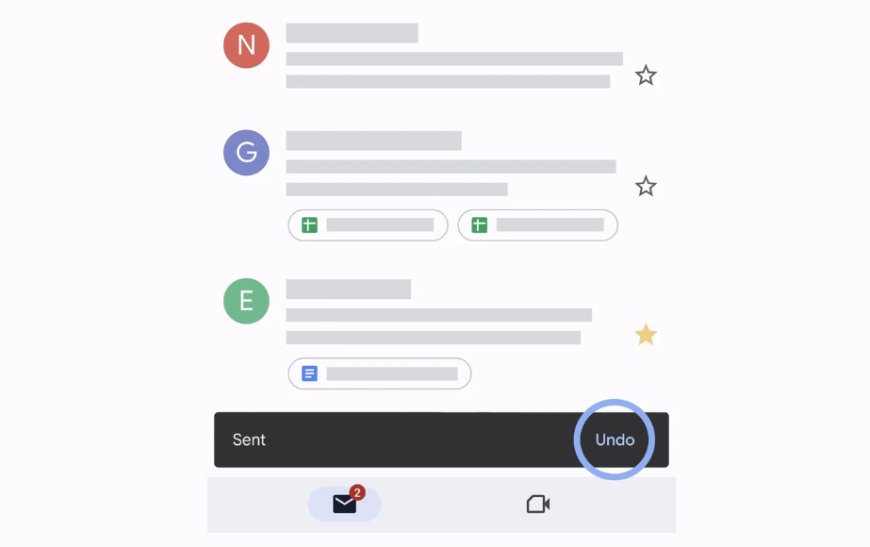
Have you ever sent an email and then realized you made a mistake? Usually, Gmail only gives you 5 seconds to hit "Undo." That is not enough time. You can change your settings to give yourself 30 seconds instead. This simple trick acts as a safety net for every email you send.
Self-Destructing Emails for Privacy
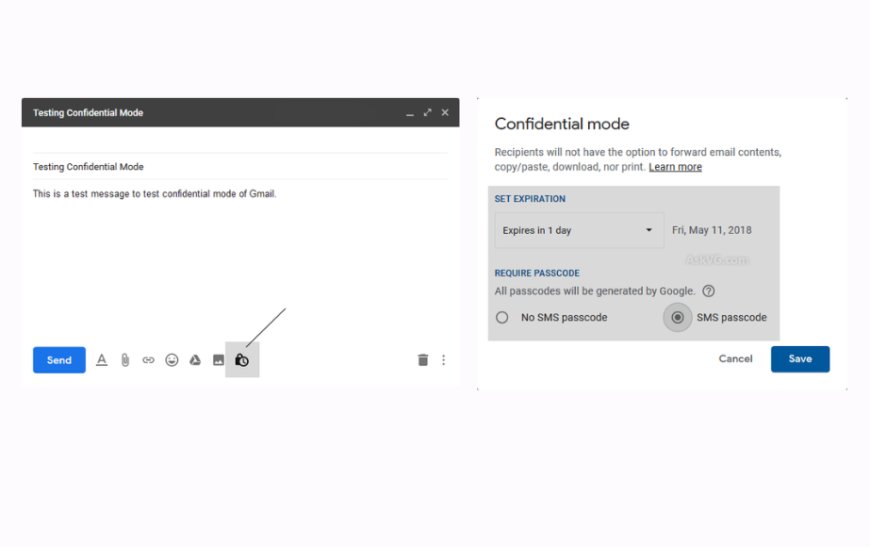
When you send something private, like a password or a contract, you don't want it sitting in someone’s inbox forever. Gmail has a "Confidential Mode" that lets you set emails to delete themselves after a certain time. You can even require the other person to enter a code from a text message to open it.
Stop Clicking and Start Typing
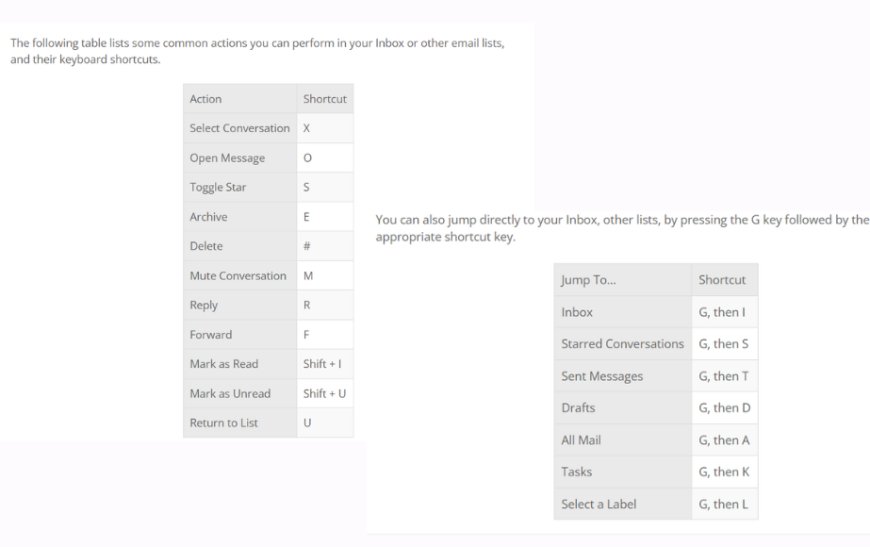
If you use your mouse for everything, you are moving too slowly. Gmail has "Shortcuts" that let you manage mail using just your keyboard. For example, pressing 'C' starts a new email, and '/' jumps to the search bar. Once you turn these on, you will clear your inbox in half the time.
Sorting Your Mail Automatically
You don't have to manually move emails into folders. You can use "Filters" to tell Gmail to organise your mail automatically. For example, you can tell Gmail to take every email from your boss and put a bright red label on it so you never miss an important message.
The "Snooze" Button for Your Brain
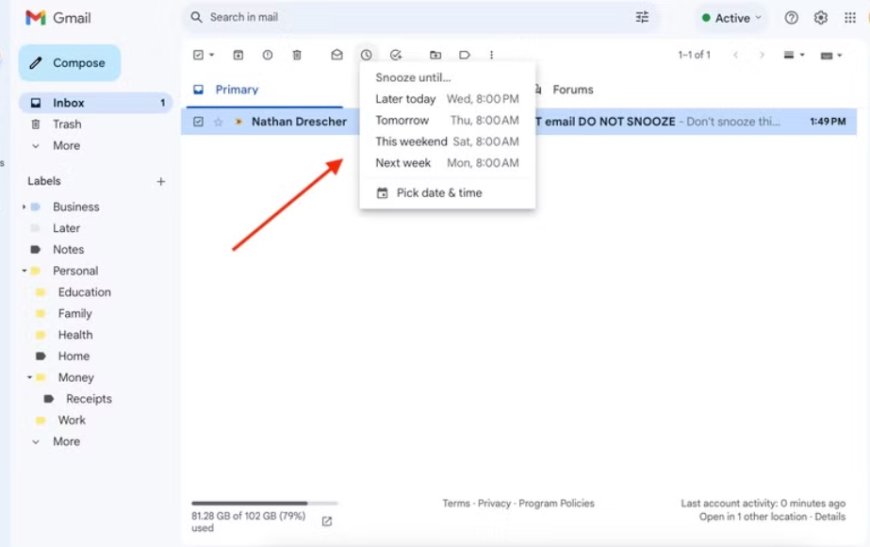
Sometimes you get an email that you can't deal with right now, but you don't want to forget it. Instead of letting it clutter your screen, use the "Snooze" button to hide the email until you are ready. It will reappear at the top of your inbox exactly when you need it, like tomorrow morning at 9:00 AM.
What's Your Reaction?
 Like
0
Like
0
 Dislike
0
Dislike
0
 Love
0
Love
0
 Funny
0
Funny
0
 Angry
0
Angry
0
 Sad
0
Sad
0
 Wow
0
Wow
0