Instagram Recovery: A 2026 Guide to Security
Recover your hacked Instagram account with our 2026 survival guide. Learn about the new AI recovery hub, video selfies, and tips to prevent future breaches.
Losing access to a professional or personal Instagram account is more than an inconvenience—it is a security breach that can put your reputation and data at risk. I recently navigated this challenge, and through the recovery process, I identified the critical steps needed to reclaim an account and the specific vulnerabilities hackers exploit.
If you find yourself locked out, here is the professional framework for recovery and long-term prevention.
Phase 1: Immediate Response
When an account is compromised, the hacker's first goal is to change the recovery credentials (email and phone number) to lock you out permanently.
The Security Reversal : Check your registered email for an official message from Instagram regarding an email change. Instagram provides a specific link that says "Revert this change" or "Secure your account." This is the fastest way to bypass hackers' changes.
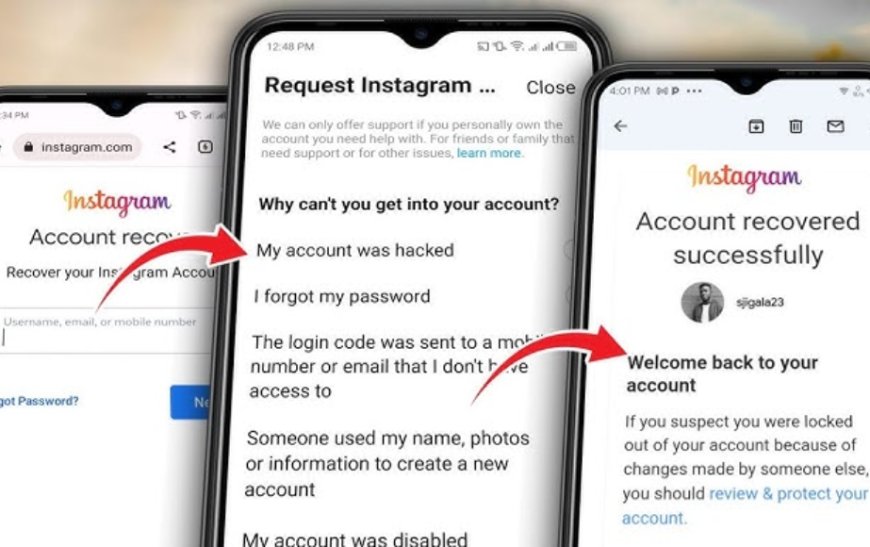
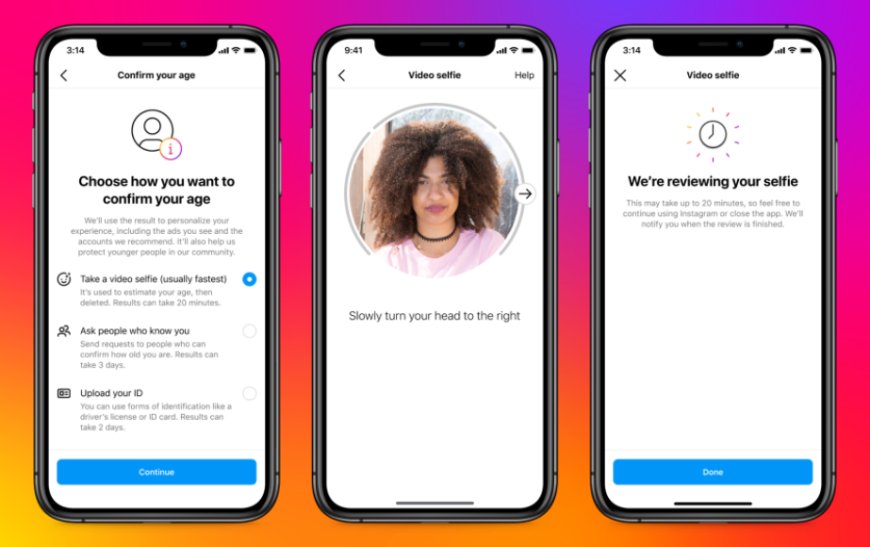
Identity Verification: If the credentials have already been changed, use the "Request Support" option on the login screen. For accounts featuring photos of the owner, Instagram utilises Video Selfie Verification. This AI-driven process compares a live scan of your face against your posted content. In my experience, the review process takes approximately 24 to 48 hours.
Phase 2: Strengthening Account Infrastructure
Recovery is only the first step. To ensure your account is not a "soft target" in the future, implement the following security standards:
1. Transition to App-Based 2FA: Many users rely on SMS-based Two-Factor Authentication. However, this is vulnerable to "SIM-swapping" attacks.
The Solution: Use an Authenticator App (such as Google Authenticator or Microsoft Authenticator). These apps generate time-sensitive codes locally on your device, making it nearly impossible for remote hackers to intercept them.
2. Implement Passkeys: Passkeys are the modern standard for passwordless security. By enabling passkeys in your Instagram settings, you link your login to your device’s biometrics (Face ID or fingerprint). This eliminates the risk of "phishing," as there is no static password for a hacker to steal.
3. Audit Third-Party Permissions: Over time, we grant access to various third-party apps for analytics or photo editing. These apps can be a "backdoor" for malicious actors.
Action: Regularly visit Settings > Website Permissions and revoke access to any application that is no longer essential.
4. Recognizing Social Engineering: A common tactic involves a compromised "friend" messaging you to ask for a screenshot of a "help link."
The Rule: Never share a login code or a recovery link with anyone, regardless of who they claim to be. Instagram will never ask you to verify your identity through another user’s account.
Digital security is an ongoing process of maintenance rather than a one-time setup. By moving away from traditional passwords and SMS codes toward biometrics and authenticator apps, you significantly decrease your digital footprint's vulnerability.
Have you audited your Instagram security settings recently? Taking five minutes today can prevent a week of recovery efforts tomorrow.
What's Your Reaction?
 Like
0
Like
0
 Dislike
0
Dislike
0
 Love
0
Love
0
 Funny
0
Funny
0
 Angry
0
Angry
0
 Sad
0
Sad
0
 Wow
0
Wow
0