Accessible Education with Niya Meet for Hearing & Visual Impairments
Discover how Niya Meet supports accessible education with inclusive tools for students with hearing and visual impairments in online learning environments.
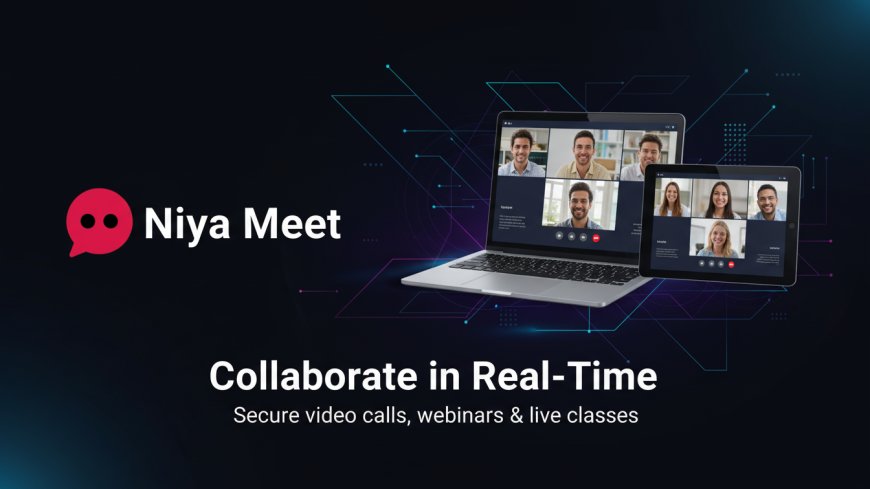
Accessible Education: How Niya Meet Supports Students with Hearing or Visual
Impairments
Accessibility has been a crucial need as opposed to a luxury option as digital education grows and grows. Learners with hearing and visual disabilities are likely to encounter special difficulties both in the physical and online classroom. To provide a chance of inclusive education to all, platforms of learning should be carefully designed to have accessibility as their central theme. Meet. Shakuniya is an accessible education tool. Niya Meet, a real-time communication and collaboration tool, provides strong support for accessible education due to its built-in tools and inclusive design.
Through video conferencing, live classes, messaging, and collaboration tools, in addition to the use of accessibility-focused features, Niya Meet allows institutions, educators, and learners to build learning spaces in which no student is left behind.

The Value of Availability in Web-Based Education
Regular education allows learners with disabilities to have a fair share in learning. In the case of students with hearing impairment, this usually involves visual alternatives to the audio-based information. In the case of visually impaired students, they need audio support, keyboard navigation, and adjustable visual options.
With remote learning becoming a permanent aspect of contemporary education, tools such as Niya Meet are crucial in equalising the barriers and ensuring that additional education is accessible to everyone.
Included Support of Hearing-impaired students
Niya Meet has a range of built-in options, which allow making virtual classrooms more inclusive to students with hearing problems.
Among all the features of accessibility, live chat during meetings is one of the most critical ones. Those students who might have difficulties with following the spoken discussion can be actively involved with the help of text-real-time communication. Teachers and classmates are able to exchange important details, guidelines, and explanations in real-time, thus maintaining constant interaction.
Niya Meet also helps in polling, which enables hearing-impaired students to express themselves through written, not oral means. Raise Hand functionality is a non-verbal means of attentiveness or posing a question by the student. Also, speech recognition is used to emphasise the speaker on the screen to enable students to track conversations effectively when having a group discussion.
The ability to record the meeting, including the possibility of uploading the session, enables students to repeat the understanding in the future as well as to make sure they do not miss anything.
Built-In Accessibility of students with visual impairments
Niya Meet has various built-in design and navigation options that enhance usability and independence among students with visual impairment.
The platform is keyboard-navigible, meaning that it can be used without the use of a mouse, using the keyboard keys to navigate through the menus, controls, chat panels, and meeting options. It is critical for learners who rely on keyboard shortcuts and assistive technologies.
Niya Meet can be used by students with visual impairments, so that they can use the audio feedback to read chat messages, meeting controls, lists of participants, and notifications. Voice search and voice commands, as an advanced feature, also help to make access easier with the ability to use spoken commands to carry out actions.
Personalisation of the user interface/user experience features, such as the ability to select a variety of colour options, as well as customise the layout, can assist students with low vision to select a contrast and display options that work well with them.
Collaborative Learning Tools that are inclusive of everyone
The collaboration tools provided by Niya Meet will be aimed at facilitating an inclusive learning process among various learners. Screen sharing can help instructors introduce a structured visual course material, whereas whiteboard collaboration can be used to explain the steps step-by-step, which can be beneficial to both hearing and visually impaired students in conjunction with the help of verbal or written instructions.
Live file sharing also provides that learning materials are in accessible formats, such that students can browse learning content at their own pace with the aid of assistive tools. Live chat, polls, and group discussions make participation not based on spoken communication during the sessions only.
These are particularly useful during live courses, training sessions, and interactive webinars, where engagement and accessibility have to be maintained.
Adaptable Meeting Category and Training Forms
Niya Meet also promotes various built-in meeting types that are fitting to the model of inclusive education:
- Enrolled classes, calendar integration, and reminders.
- Fast discussion meeting (academic).
- Open lectures and webinars are publicly available.
- Individual meeting codes to enter the classroom safely.
Reminders and notifications, as well as various settings, allow students to get ready beforehand, which is especially important in the case of learners who use assistive technologies or have a well-developed schedule.
Secure Access / User Management of Educational Institutions
Niya Meet also has a user management system, which is built-in into the platform, allowing students and teachers to have secure and structured access to their educational institution. Registration and login, OTP login, social login, and two-factor authentication (2FA) are a few of the features that ensure the protection of student data and easy access.
Avatars, cover images, and online/offline status signs on user profiles are beneficial in bringing a more personal and inclusive virtual classroom atmosphere.
Mobile-Friendly, Multilingual, and Technically Accessible
Niya Meet is mobile responsive, and students can have access to classes on smartphones, tablets, or desktop computers. Multi-lingual support is provided so as to be accessible to linguistically diverse learners.
The technical characteristics, like web push notifications, service worker support, and offline, are all useful in keeping students in contact even in low-bandwidth settings. Customer-friendly built-in SEO and maintenance controls provide stability and reliability of the platform.
Safe and Non-Discriminatory Learning Space
Because of the accessibility of education, security and privacy are vital. Niya Meet will have the following features: role-based permissions, access controls of meetings, CSRF/XSRF, and elaborate user privacy settings. These inherent security designs ensure the safety of students and still provide a safe, inclusive online classroom.
Conclusion
Education that is accessible is not only compliance-based but also empowering. Niya Meet illustrates how careful design and the inclusion of accessibility features could turn online learning into an inclusive experience for students with hearing or visual disabilities.
Niya Meet allows educators to teach and students to learn effectively, no matter their abilities, by providing real-time communication tools, flexibility of formats of meetings, inclusion of collaboration features, and high accessibility support features.
Even as education goes more and more digital, platforms like Niya Meet are becoming the model of inclusive, accessible, and future-oriented learning.
\
What's Your Reaction?
 Like
0
Like
0
 Dislike
0
Dislike
0
 Love
0
Love
0
 Funny
0
Funny
0
 Angry
0
Angry
0
 Sad
0
Sad
0
 Wow
0
Wow
0