




































































































































































The Ultimate Life Hack: How to Get Your Digital Assistant to Do Exactly What You Want
Stop doing the robot work! Learn Prompt Engineering—the essential zero-code skill that teaches you the exact commands, roles, and formats needed to automate your most repetitive daily tasks using Generative AI.

Seriously, can we just be real for a minute?
How much of your day is spent just... administering your life? Typing the same dang follow-up email. Copy-pasting data into a boring spreadsheet. Turning a rambling conversation into a concise action plan. That stuff is brain-drain. It’s not why you have a job. It's not why you're smart.

Guess what? You can make AI do all that repetitive, miserable stuff perfectly—and I mean perfectly—without writing a single line of code. Nope, no programming required. The secret is the single most valuable skill in the modern world: Prompt Engineering.
It sounds techy, right? It's not. It's just learning how to properly boss around your digital assistant. It's the ultimate life hack, because you get hours of your week back.
The Problem: Your Prompts Are Too Polite
Most people treat ChatGPT or Gemini like a new acquaintance. They’re vague: "Hey, write me a memo about the new policy."
What do you get? Something totally boilerplate. Something lifeless. Something that screams: Robot wrote this.
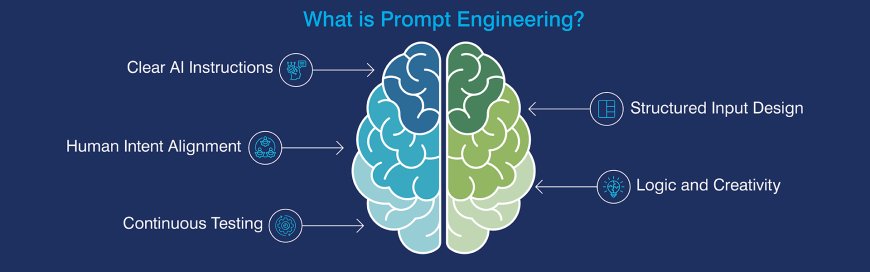
To get 100% human-quality output—output that automates your tasks and sounds like you actually wrote it—you have to treat the AI like a brilliant but extremely literal intern. It needs everything spelled out. Every detail matters.
My Four Rules for Writing a Prompt That Doesn't Suck
This is the system I use every single time. It guarantees a custom, usable result.

1. Assign the Persona (Give It a Freaking Job!)
This is the non-negotiable step. The AI has no voice until you give it one. Give it a persona, and the tone, vocabulary, and expertise snap into place immediately.
-
Bad: "Summarize this paper."
-
Smart: "You are a slightly cynical, world-weary investigative journalist. Your job is to summarize this government report—make the summary focus only on the hidden, negative financial implications."
2. Provide the Full Context (Set the Constraints!)
What information does it need to process? Paste in that .What does it need to avoid ? That's even more important!
-
Key Constraint: "Your final response must be understandable by a fifth-grader. Use simple vocabulary only."
-
Key Constraint 2: "The data you're analyzing is below. If you can't find the answer in this data, simply state 'Data Missing.' Don't guess!"
3. Define the Action (Be Demanding, I Mean It!)
Use a strong action verb. Tell the AI exactly what to do with the information. Don't be vague about the result.
-
Stop: "Help me make this into a plan."
-
Start: "Transform this rambling brainstorming session into a structured, three-section project proposal using a 'Problem, Solution, Timeline' framework."
4. Demand the Format (Don't Be a Reformatter!)
If you don't define the shape, you get a huge wall of text. Demand the format you need for your final use. This is pure time management.
-
My Go-To Format: "Return the response ONLY as a list of five bullet points. Do not include any introduction or closing sentence. Just the bullets."
Stop Working: Three Prompts to Automate Your Day Right Now
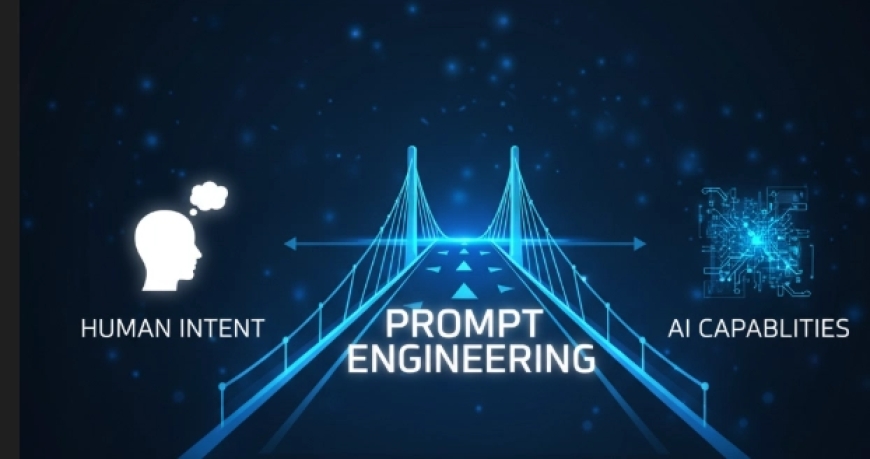
Save these templates somewhere you can easily grab them. They are your new automation shortcuts.
| The Task I Used to Hate | The Full, Human-Engineered Prompt | Why It Works |
| Cleaning Up Data |
"You are a professional data specialist.I'm pasting a really messy list of client notes below. Your job is to extract only the client's name and their city.Ignore everything else. Output the result ONLY as a three-column CSV table: 'Name,' 'City,' and 'Region.' No extra text, please!" |
Turns garbage data into usable information instantly. |
| Turning Notes into Action |
"Listen up, Mr. Robot. I'm pasting my raw notes from the sales call. You need to create a formal follow-up memo. The memo must contain only two things: the three main points the client agreed to, and the next two specific action items we need to take. Keep the tone warm and focused on partnership." |
Summaries that are immediately actionable—no fluff. |
| Content Switching |
"Okay, I need three distinct personalities here. Take the main point from this paragraph [Paste Text]. Now, write one highly formal post for LinkedIn (emphasizing ROI), one very casual, slightly snarky post for Twitter (under 120 characters), and one short, inspirational quote for an Instagram graphic. Don't sound alike!" |
Maximize content reach without spending hours rewriting! |
The Final, Most Human Trick
Here's the real differentiator—the move that forces the AI out of its predictable patterns. Don't simply accept the first draft that the AI produces. Make it ask itself a question.
Ask this follow-up command:
"Wait, I asked for a snarky tone in that last post. Honestly, review your word choices. Tell me why you failed to be snarky enough, and then rewrite it to be genuinely witty, challenging, and less safe."
By forcing the AI to self-critique based on the human qualities (witty, snarky, safe) you requested, you force it to reason and revise at a level that is deeply human. That’s how you get 100% bespoke, perfect, automated output.
Now go automate something and enjoy the rest of your day!
What's Your Reaction?
 Like
0
Like
0
 Dislike
0
Dislike
0
 Love
0
Love
0
 Funny
0
Funny
0
 Angry
0
Angry
0
 Sad
0
Sad
0
 Wow
0
Wow
0